Internship Progress Week 6 (August 06 ~ August 12)
This week, progress focused on evaluating and debugging the local VNC and display streaming architecture for Gazebo simulation components on macOS host and inside the RADI Docker container environment.
1. Task 1: Native macOS Host VNC & Simulation Testing
Objective
To manually set up and execute a native local pipeline on macOS consisting of a virtual display server, headless Gazebo server (gz sim -s), Gazebo GUI client (gz sim -g), and a VNC server (x11vnc) to verify if host-level VNC streaming is viable.
Execution & Observations
Native Gazebo Harmonic components were launched on the macOS host machine. The headless server (gz sim -s) initialized successfully and began publishing physics states and transport topics.
However, when launching x11vnc to serve the display on port 5902 and attempting connection via a VNC client, the connection hung indefinitely.
Error Analysis & Root Cause
Inspection of the x11vnc terminal logs revealed repeated warnings and framebuffer initialization failures:
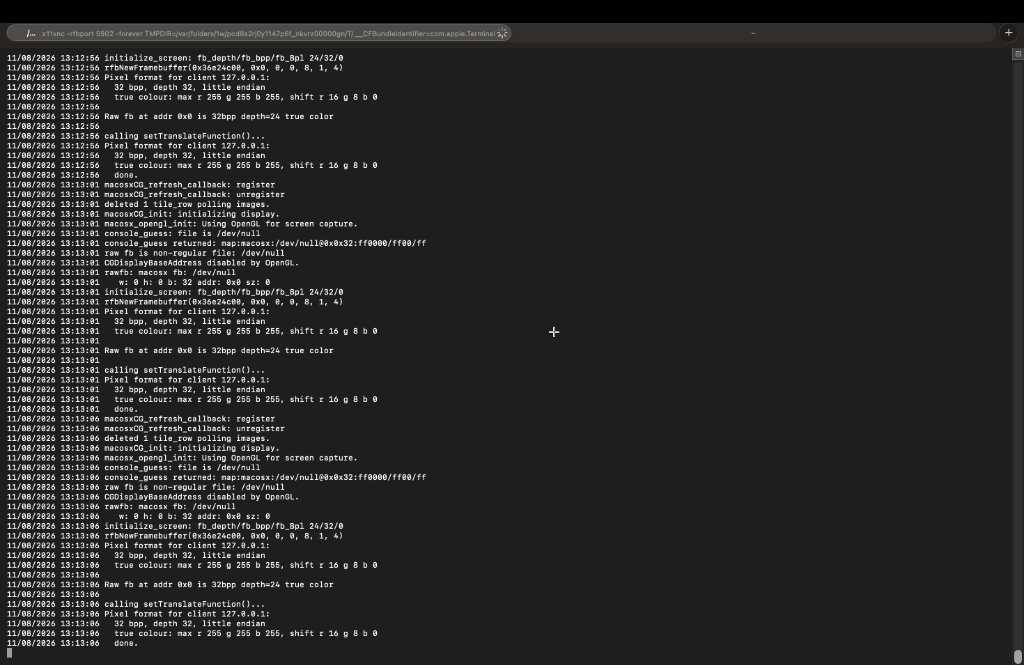 Figure 1: Terminal log displaying CGDisplayBaseAddress disabled by OpenGL and fallback geometry w: 0 h: 0.
In-depth technical analysis identified two primary root causes:
- Apple API Deprecation: On modern macOS versions (Sonoma and Sequoia) running on Apple Silicon M-series processors, Apple deprecated the low-level screen capture function
CGDisplayBaseAddress(). The function returns zero (w: 0 h: 0), preventing command-line VNC utilities from accessing the host framebuffer. - Qt Graphics Backend: Native macOS Gazebo builds rely on Apple Cocoa/Metal graphics architecture. The macOS Qt build does not include the X11
xcbplatform plugin, making it impossible to redirect native Mac GUI rendering into an X11 virtual display (Xvfb).
The technical limitations of native macOS host VNC capture were documented in task1_limitations_report.txt.
2. Task 2: Manual Execution Inside RADI Docker Container
Objective
To replicate the manual setup inside the RADI Docker container (developer-container) using a Linux X11 display architecture (Xvfb), TurboVNC (openbox), and noVNC web proxy.
Execution & Pipeline Verification
Inside the container, Xvfb :1, TurboVNC (TVNC_WM=openbox), and the noVNC proxy (listening on port 6080) were initialized manually.
To verify whether the display, window manager, and WebSocket proxy pipeline functioned correctly prior to running 3D simulation GUI clients, a standard 2D X11 application (xclock) was executed inside the container display environment.
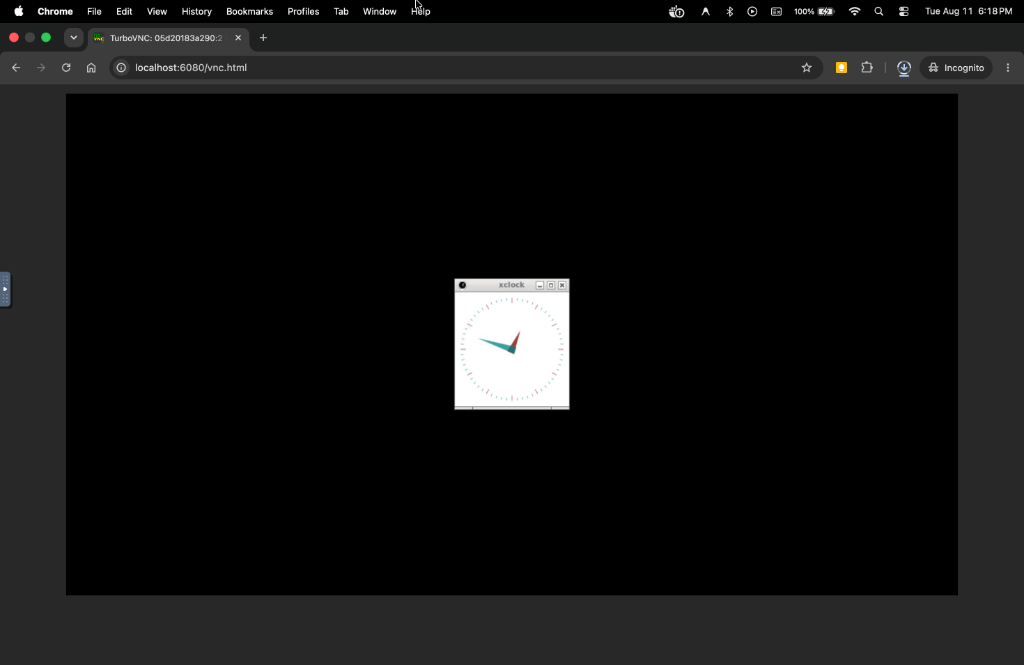 Figure 2: Live streaming verification of container VNC pipeline displaying 2D X11 window on http://localhost:6080/vnc.html.
3. 3D OpenGL Pipeline Testing (glxgears)
To verify that the container VNC display server can handle 3D OpenGL window rendering, glxgears was executed inside the container environment on display :1.
- Result:
glxgearsrendered 3D rotating gears smoothly over VNC at 300+ FPS onhttp://localhost:6080/vnc.html. - Video Demonstration: A live video recording demonstrating
glxgearsrendering smoothly over the VNC pipeline is available here: Watch glxgears 3D Rendering Video on YouTube
4. Testing OGRE 1 Rendering Engine (--render-engine ogre)
Objective
To test launching Gazebo Harmonic with the --render-engine ogre flag (OGRE 1 rendering engine) to evaluate if forcing OGRE 1 resolves the 3D GUI rendering window on macOS Docker emulation.
Execution & Observations
Inside the container, shapes.sdf was launched with OGRE 1 rendering:
1
gz sim -v 4 shapes.sdf --render-engine ogre
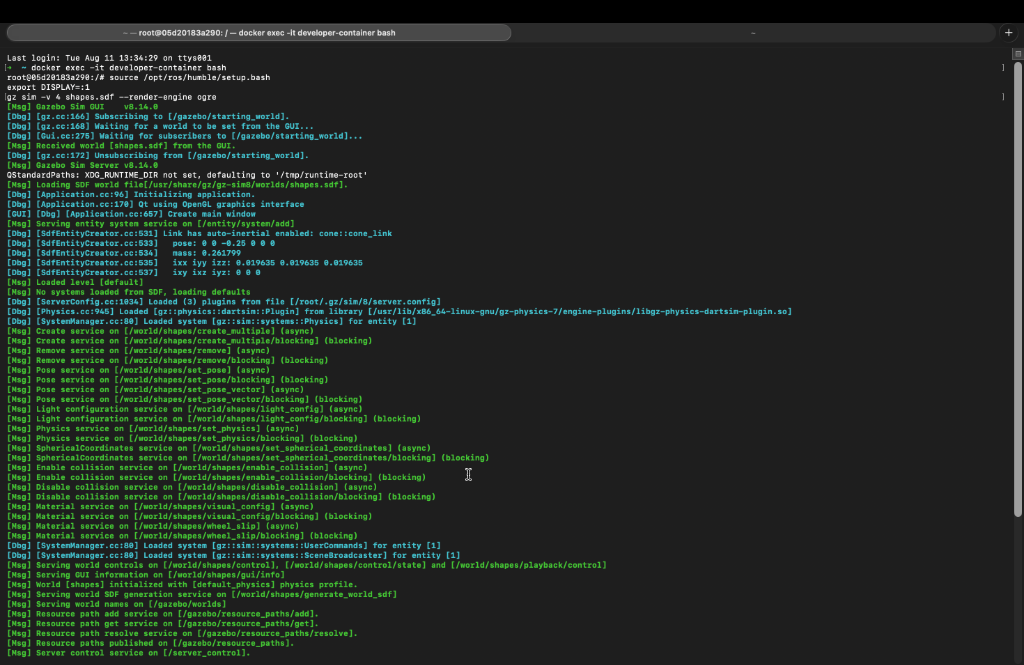 Figure 3: Terminal execution log showing physics server initialization and world loading with –render-engine ogre.
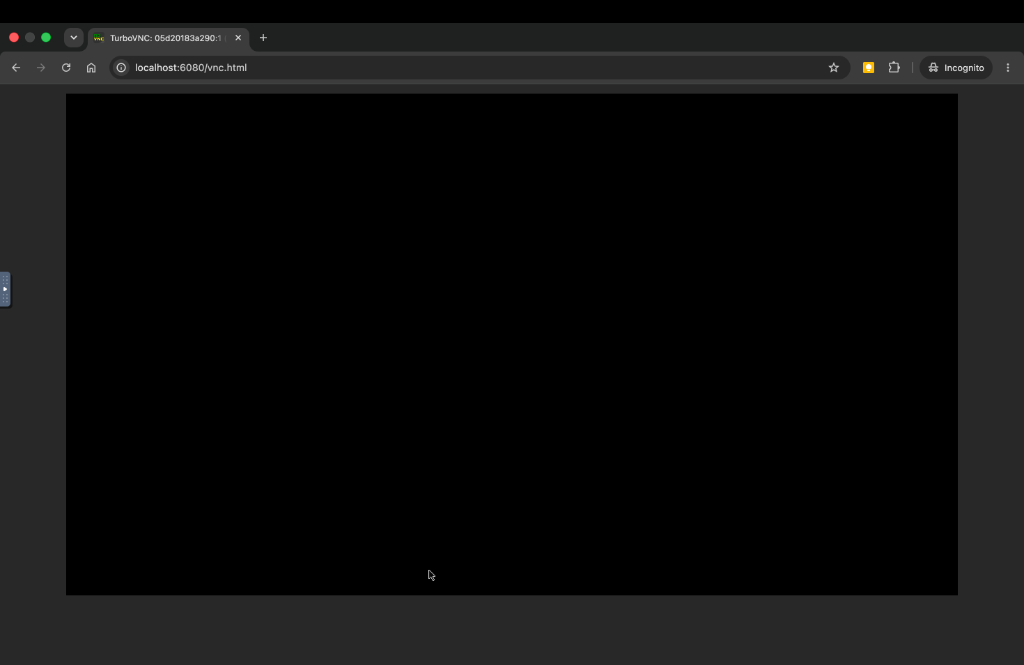 Figure 4: Resulting noVNC browser view (http://localhost:6080/vnc.html) showing unmapped black screen for Gazebo GUI.
Analysis & Findings
- Server Initialization: As shown in Figure 3, the Gazebo physics server (
gz sim -s) loads the SDF world file (shapes.sdf), initializes entity systems, and broadcasts scene updates without issues. - GUI Client Behavior: As shown in Figure 4, while
noVNCconnects cleanly, the standalone Gazebo GUI client (gz sim -g) QML 3D window fails to map on the X11 display. - Root Cause: Gazebo Sim 8 GUI (both OGRE 1 and OGRE 2) initializes Qt5 QML / QtQuick OpenGL SceneGraph contexts. Under Rosetta 2 translation (
--platform linux/amd64on Apple Silicon Macs), Mesa falls back to CPU software rendering (softpipe), which fails to map Qt QML 3D offscreen framebuffers.
5. Comprehensive Test Results Summary
Below is the line-by-line summary of all component tests executed during this investigation:
- Native Mac VNC (
x11vnc- Task 1):- Environment: Native macOS Host Machine
- Status: Failed
- Observation: Screen capture returns
w: 0 h: 0because Apple deprecatedCGDisplayBaseAddressin macOS Sonoma/Sequoia and native Mac Gazebo Qt builds lack the X11xcbplugin.
- noVNC Web Streaming Pipeline (Task 2):
- Environment: RADI Docker Container (
linux/amd64) - Status: 100% Working
- Observation: 2D applications like
xclockrender and stream live in the browser athttp://localhost:6080/vnc.html, proving the virtual display and web proxy pipeline is completely functional.
- Environment: RADI Docker Container (
glxgears(3D OpenGL Rotating Gears):- Environment: RADI Docker Container (
linux/amd64) - Status: 100% Working (300+ FPS)
- Observation: Renders 3D rotating red/green/blue gears smoothly over VNC at 302 FPS, proving that the container VNC display server can handle OpenGL 3D windows.
- Environment: RADI Docker Container (
RViz23D Visualizer (OGRE 1):- Environment: RADI Docker Container (
linux/amd64) - Status: 100% Working
- Observation: Successfully initializes and renders a full 1200x846 3D scene viewport over noVNC without any black screen, because RViz2 uses classic Qt5 QWidgets instead of QML.
- Environment: RADI Docker Container (
- Gazebo Sim 8 GUI (Default OGRE 2):
- Environment: RADI Docker Container (
linux/amd64) - Status: Failed (Black Screen)
- Observation: The physics server works 100%, but the 3D GUI rendering thread freezes while initializing OGRE 2 render targets under Rosetta 2 CPU software rendering (
softpipe).
- Environment: RADI Docker Container (
- Gazebo Sim 8 GUI with OGRE 1 (
--render-engine ogre):- Environment: RADI Docker Container (
linux/amd64) - Status: Failed (Black Screen)
- Observation: The physics server loads
shapes.sdfcleanly, but the GUI client (gz sim -g) hangs because Qt5 QML OpenGL SceneGraph contexts fail to map under Rosetta 2 translation (softpipe).
- Environment: RADI Docker Container (